ICMP keeps the check lightweight
Ping uses a simple network-level request, which makes it a fast way to test basic reachability without a full application transaction.

Ping monitoring with UptimeTick helps developers, sysadmins, SaaS teams, and infrastructure operators verify host reachability fast, monitor ping latency over time, and trigger ping alerts when network availability changes before a small incident turns into a visible outage.
ICMP reachability checks
Confirm whether a host is reachable at the network layer without waiting for users to report it.
Latency and packet loss visibility
Spot slower response times, unstable routes, and dropped packets that often appear before a full outage.
Instant ping alerts
Notify the right team quickly when repeated failures show that a host is down or degraded.
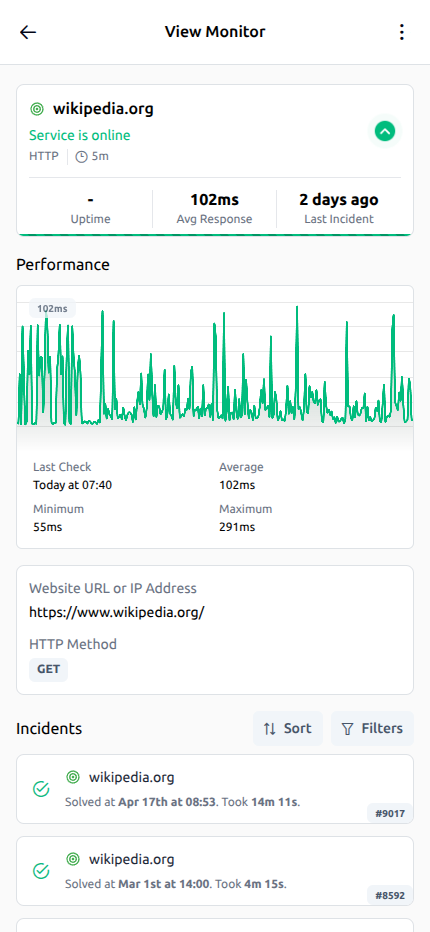
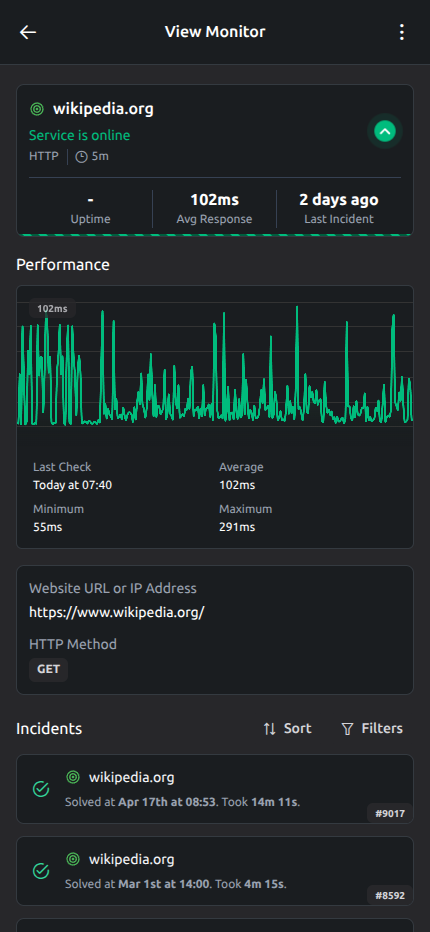
Checks, incidents, alert context, and recovery history stay in one place so your team can investigate faster.
Outage timeline
See when an incident started, how it progressed, and when service fully recovered.
Response time trends
Track performance shifts and spot slowdowns before they affect the user experience.
Alert context in one view
Checks, incident history, and critical signals stay together to speed up investigation.
Ping monitoring is the process of sending regular ICMP echo requests to a host and measuring whether it answers. In simple terms, a ping monitor asks a server, router, or network device, "Are you reachable right now?" If the host responds, the check confirms basic network availability. If it does not, your team gets an early signal that reachability may be broken somewhere between the monitoring node and the target system.
A useful ping monitoring tool also measures timing, not just up or down status. Each ICMP reply shows how long the round trip took, which helps teams understand latency trends and detect instability before a complete outage. When response times climb, replies become inconsistent, or packet loss increases, you can investigate a developing network issue before application errors, support tickets, or customer complaints start piling up.
For availability reporting across the rest of your stack, connect these checks with broader uptime monitoring.
Ping uses a simple network-level request, which makes it a fast way to test basic reachability without a full application transaction.
If a host cannot answer a ping, there may be a routing, firewall, provider, or infrastructure problem blocking traffic entirely.
Latency shows whether a host is merely reachable or whether network performance is starting to degrade under load or failure conditions.
In production, ping uptime monitoring should do more than send one probe and flip a status light. It needs recurring ICMP checks, timing data, packet loss visibility, and alert rules that distinguish a brief network wobble from a real host availability problem. That combination helps teams respond quickly without creating unnecessary noise.
UptimeTick sends ICMP checks at the interval you choose so you can watch network reachability continuously instead of relying on manual tests.
Each successful reply records round-trip timing, giving teams a practical way to monitor ping latency and identify changes in network performance.
When replies are missed or inconsistent, packet loss becomes visible and helps explain degraded connectivity before the host goes fully unreachable.
If repeated ping checks fail, UptimeTick opens an incident and sends ping alerts so responders can investigate the outage while the timeline is still fresh.
Network problems often show up earlier at the reachability layer than at the application layer. A ping monitor gives teams a fast signal that something changed in routing, connectivity, latency, or packet delivery, which means incident response can begin before users experience a broader service disruption.
Latency spikes and packet loss often appear before a full outage, giving teams time to investigate links, providers, or overloaded infrastructure.
When a host stops answering ICMP checks, teams can separate a reachability failure from an application bug and narrow the investigation faster.
Early detection shortens the time between failure and response, which limits customer impact and improves incident handling.
A reliable ping monitoring tool should show more than a red or green badge. Teams need enough network detail to understand whether availability is stable, degrading, or already in incident territory.
If the host responds but the visitor experience still needs validation, add website monitoring.
Latency tracking helps teams see whether a reachable host is still responding within normal limits. A network may remain technically up while performance gets worse, which is why it is important to monitor ping latency instead of treating every successful reply as equally healthy.
With historical timing data, UptimeTick makes it easier to compare normal behavior against incident periods, maintenance windows, or provider issues. That context helps teams decide whether a slowdown is isolated, recurring, or likely to become a larger outage.
Packet loss is often the missing clue in network ping monitoring. A host may answer some checks and miss others, creating a pattern that feels random to users but is clearly visible when you track consecutive ICMP results over time.
Seeing loss rates alongside latency helps teams distinguish unstable connectivity from a clean outage. That matters for WAN links, cloud networking paths, edge devices, and infrastructure where intermittent failures can be just as damaging as a complete disconnect.
Ping uptime monitoring gives teams a direct signal that a host is reachable on the network. That is especially useful for servers, appliances, and infrastructure components where basic availability matters before you move on to higher-layer checks.
Ping checks do not replace HTTP(s) or port monitoring, but they do answer a different question: can traffic reach the host at all? Used together, those checks help teams understand whether the problem is network reachability, service availability, or both.
When a host looks unreachable from one region but healthy from another, the problem may sit with a transit provider, regional routing path, or local network segment instead of the target itself. Multi-location checks reduce guesswork by adding perspective.
For distributed teams and global services, this matters because a local incident can still be a real customer incident. Comparing results across locations gives responders a faster way to understand scope and prioritize the next action.
Fast ping alerts are what turn monitoring data into operational action. Once a host fails repeated checks, the right responder needs a clear signal that includes timing, status change, and enough context to begin troubleshooting immediately.
UptimeTick sends alerts quickly and keeps incident history available afterward, so teams can respond in the moment and still review exactly when packet loss, latency changes, or host failures started to appear.
Ping monitoring works best where network reachability is the first thing you need to confirm. It gives engineers a fast way to validate whether traffic can still reach critical infrastructure and services.
When a reachable host still serves a broken endpoint, API endpoint monitoring helps isolate the application layer.
Monitor physical servers, virtual machines, and edge hosts to confirm reachability before deeper application troubleshooting begins.
Use ping checks alongside HTTP monitoring to distinguish host-level network issues from application or endpoint logic failures.
Track network devices and routing points where packet loss or higher latency can signal a broader infrastructure incident.
Verify that the host behind a site is reachable even when HTTP checks later help confirm content, status codes, and user-facing behavior.
Watch cloud instances, load balancer targets, and regional infrastructure where network availability can change during scaling events or provider incidents.
UptimeTick gives teams a straightforward ping monitoring tool without forcing them into a fragmented workflow. You can set up checks quickly, receive fast alerts, review incident history, and keep network visibility available from desktop and mobile.
For production services that also depend on TLS trust, pair network checks with SSL certificate monitoring.
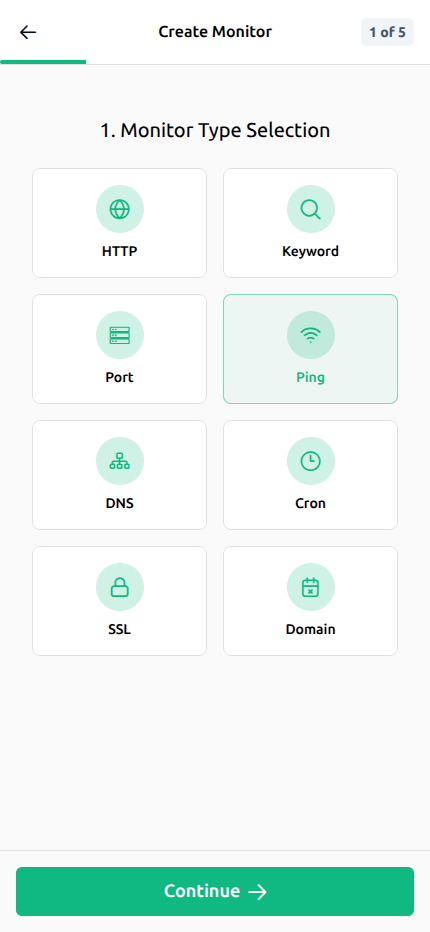
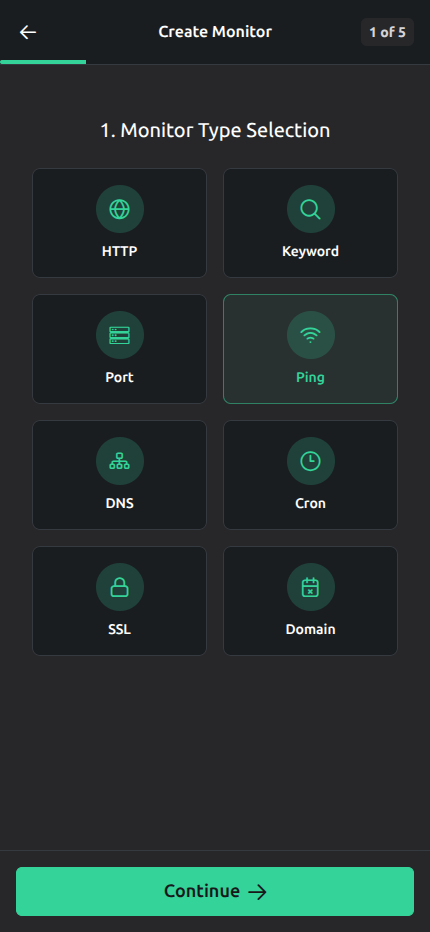
Create a ping monitor in minutes and add HTTP(s), port, SSL, heartbeat, keyword, and domain checks when you need broader coverage.
Email and mobile notifications help responders act on host failures quickly instead of waiting for outage reports from users.
Review when latency changed, when packet loss appeared, and when the host became unreachable across past incidents.
Use UptimeTick mobile apps to follow monitor status, active incidents, and recovery progress when you are away from your desk.
Start with essential reachability checks and expand as more hosts and environments need coverage.
Clear answers for teams comparing ping monitors and ICMP-based uptime checks.
Ping monitoring is the practice of sending ICMP checks to a host at regular intervals to confirm reachability, measure latency, and detect availability issues such as packet loss or complete outage.