More than a status code check
A keyword monitor validates page content, not just whether a URL responds. That makes it useful when your biggest risk is a broken experience hidden inside a 200 OK.

Keyword monitoring helps teams catch hidden website issues by checking whether the expected text still appears in the response body. Uptime alone is not enough when a page returns 200 OK but the login form, checkout confirmation, campaign message, or dashboard content users need has disappeared.
Response body validation
Check whether critical pages still return the expected text, message, or confirmation users rely on.
Keyword alerts for hidden issues
Trigger an alert when a page stays online but the content check fails because key text disappears.
Built for real user journeys
Monitor sign-ins, product pages, dashboards, and campaign pages that can fail long before the server looks down.
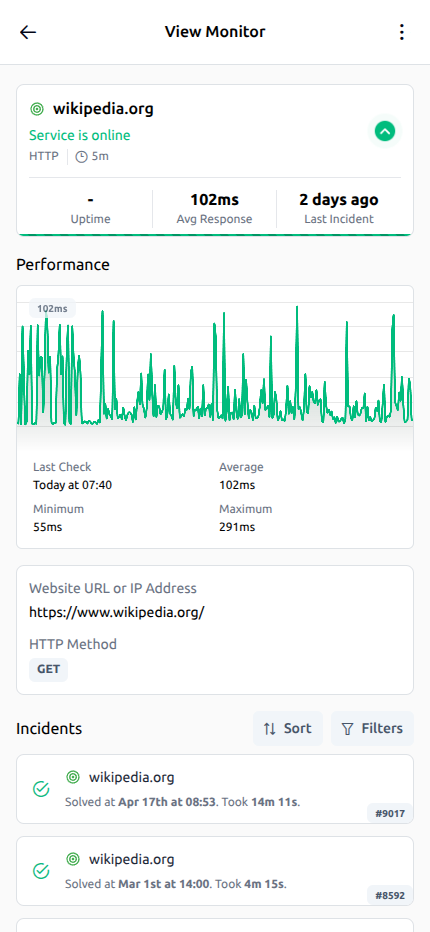
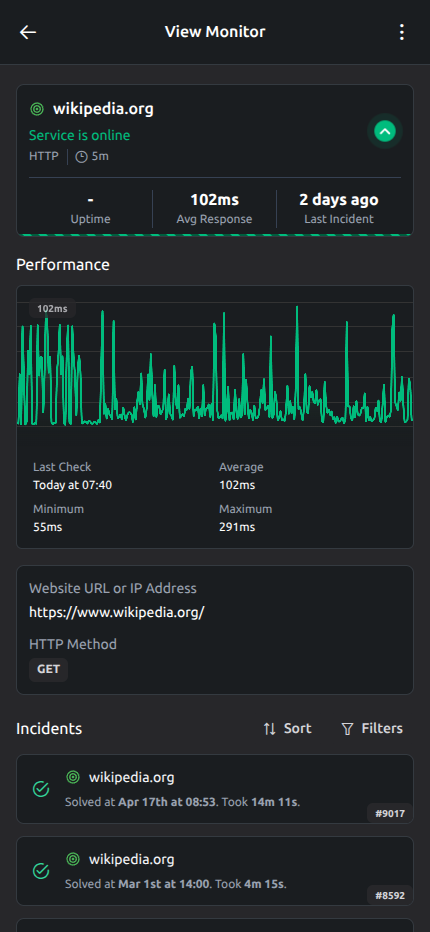
Checks, incidents, alert context, and recovery history stay in one place so your team can investigate faster.
Outage timeline
See when an incident started, how it progressed, and when service fully recovered.
Response time trends
Track performance shifts and spot slowdowns before they affect the user experience.
Alert context in one view
Checks, incident history, and critical signals stay together to speed up investigation.
Website keyword monitoring checks whether a page response still contains the expected text you care about. Instead of assuming a live URL means a healthy experience, it uses page validation to confirm that the visible content, success message, or response marker is still present.
That matters because pages can return 200 OK while still failing in ways users notice immediately. A broken template, bad deployment, authorization problem, empty state, or server-side rendering issue can replace the real page with the wrong content. If you need to monitor website keywords that prove the page is working, a status code alone is not enough.
A keyword monitor validates page content, not just whether a URL responds. That makes it useful when your biggest risk is a broken experience hidden inside a 200 OK.
You define the exact word, phrase, or success marker the page should contain so the check reflects the state that matters to users and revenue.
Response keyword validation is a lightweight way to confirm visible content, success messages, and essential response body markers without building a full scripted test.
UptimeTick keeps the workflow simple: fetch the page, inspect the response body, and alert when the expected text is missing. That gives SaaS teams, ecommerce operators, agencies, and developers a practical content check without building complex automation first.
UptimeTick requests the target URL on your chosen interval and reads the response body, just as a real visitor or browser would receive it.
The content check scans the returned HTML or page output for the keyword, phrase, or confirmation text you want to keep visible.
If the expected text is missing, UptimeTick treats that as a failure and sends an alert so your team can investigate before the issue spreads.
The biggest value of keyword monitoring is catching hidden failures that basic availability checks miss. When expected text disappears, the problem is often already visible to customers even though infrastructure-level uptime still looks normal.
Login pages often keep returning 200 even when the form is gone, the CSS fails to load, the app shell crashes, or a maintenance message replaces the real sign-in experience. Standard uptime checks will report the endpoint as available while users are already blocked.
Keyword monitoring helps you confirm the login page still includes the expected text around the form, authentication state, or sign-in prompt. That makes website keyword monitoring useful for catching failures that support teams usually hear about first.
A checkout flow can break after payment processing while the confirmation URL still answers normally. If the thank-you page loses the success message, order ID text, or purchase confirmation marker, the customer sees uncertainty even though the page technically loads.
Keyword alert monitoring is effective here because it watches for the confirmation language that proves the transaction finished properly. You can spot silent ecommerce failures before they turn into duplicate charges, abandoned support tickets, or lost trust.
Campaign pages are especially vulnerable to hidden content problems during launches, CMS edits, personalization changes, and cache issues. A page can stay live while the headline, offer copy, or pricing message disappears from the response body.
When you monitor website keywords on landing pages, you get a fast way to verify that the message paid traffic is supposed to reach is still visible. That matters for paid search, email launches, affiliate campaigns, and seasonal promotions where missing text directly damages performance.
Many partial incidents do not create a blank page. Instead, they replace the expected content with a fallback message, generic error, empty state, or framework-level warning while the request still returns successfully.
Keyword monitoring helps expose that kind of hidden outage by checking for the content users should see rather than trusting the transport layer alone. It is a clean way to validate page output when a failure is visible in content, not just in status codes.
Hidden failures are expensive because they delay response. By the time a team discovers that a page is loading the wrong content, the issue has usually affected users, revenue, or operations for longer than it should have.
A missing keyword is often the first sign that a page is broken for users even though the server is still responding. Keyword monitoring closes that visibility gap.
When the expected text disappears, the problem is already affecting real visitors. Fast detection helps teams act before support volume and conversion loss climb.
Reliable content checks support sign-ins, sales flows, dashboards, and marketing pages that need to keep working continuously, not just stay technically reachable.
UptimeTick gives teams a straightforward way to add keyword checks alongside the rest of their monitoring stack. You can set up a content check quickly, get instant alerts when expected text disappears, and combine page validation with broader uptime signals inside one product.
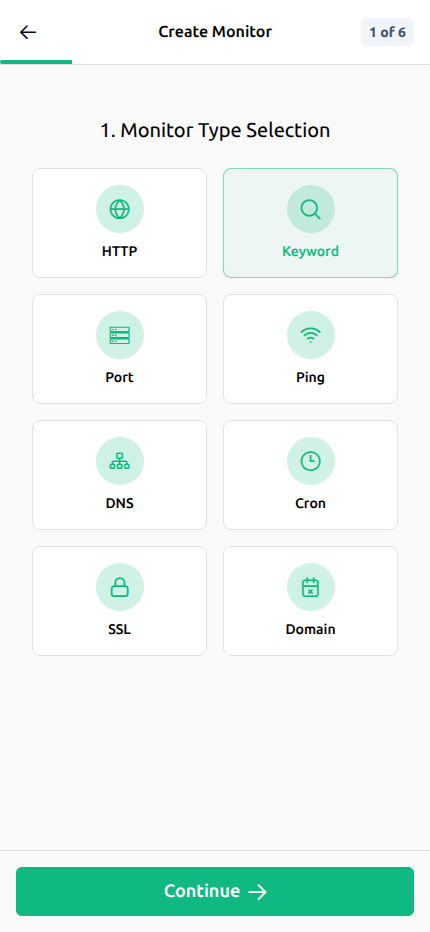
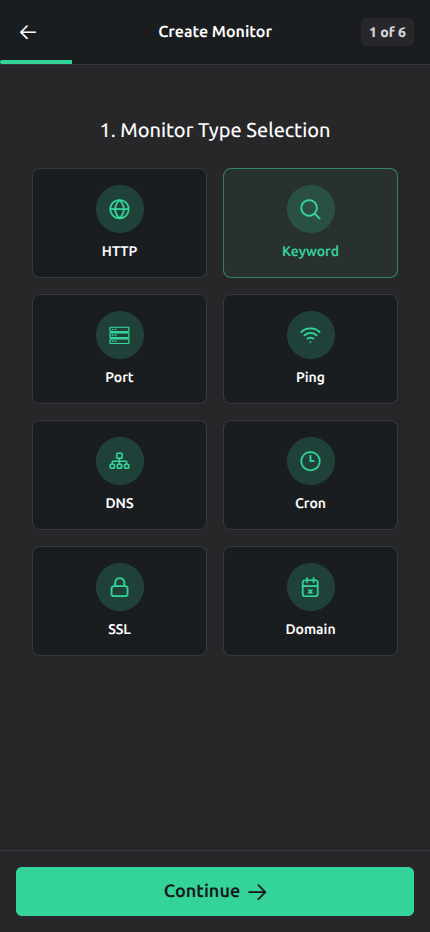
Create a keyword monitor in minutes by adding a URL and the expected text you want UptimeTick to validate in the response.
Get notified as soon as a keyword check fails so the missing content is handled like an operational issue, not a delayed customer report.
Combine response content validation with HTTP(s), ping, port, SSL, heartbeat, and domain checks for fuller incident coverage.
See failures and alerts from UptimeTick mobile apps so on-call teams, founders, and operators can respond away from a desk.
Any team that depends on visible page content can use keyword monitoring to detect failures earlier. The technique is simple, but the coverage is useful across revenue paths, customer access points, and operational interfaces.
Watch product, cart, and confirmation pages for expected text so missing inventory messaging, broken purchase states, or incomplete confirmation screens do not hide behind a normal response.
Validate that login screens still show the sign-in text, form prompts, and core interface copy customers need before they can access the product.
Confirm that paid landing pages, launch pages, and promo experiences keep the headline, offer language, and CTA text your campaign depends on.
Check customer dashboards and account pages for success markers, navigation text, or content states that indicate the app is rendering properly after load.
These answers cover the questions buyers and operators usually ask when they compare a keyword monitor or evaluate website keyword monitoring for production use.
Keyword monitoring is a response content check that verifies whether expected text appears in a page response. Instead of only asking whether the URL answered, it asks whether the page still contains the message, label, or confirmation text users need.
Use UptimeTick to validate expected text, detect content failures faster, and combine keyword checks with HTTP(s), ping, port, SSL, heartbeat, domain expiration monitoring, status pages, instant alerts, and mobile visibility. Set up your first monitor in minutes and catch the failures uptime alone misses.